Loading game...
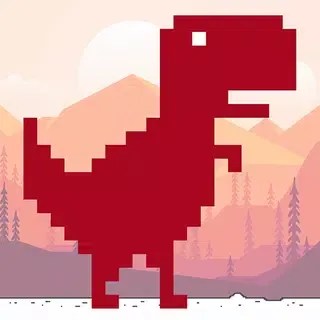
Dino Game
You can play Chrome's T-Rex Runner game by typing "chrome://dino" in your browser, disconnecting your internet, or visiting online platforms like Dino Chrome or T-Rex Runner Plus. Press spacebar to start and jump, while using the down arrow to duck under pterodactyls. Focus on timing your jumps when obstacles are 50-60 pixels away for better scores. Mastering the pattern recognition and quick shifts between commands will help you conquer this addictive pixel dinosaur game.
How to Access and Play the T-Rex Runner Without Internet
Now that you understand the origins of Chrome's dinosaur game, let's examine how you can access and play this entertaining T-Rex runner without needing an internet connection.
The dinosaur runner game can be started in several ways when you're offline.
- Open a new tab in Chrome and attempt to visit any website, triggering the "No Internet" page
- Type "chrome://dino" directly in your address bar for instant access
- Manually disconnect your Wi-Fi or turn on airplane mode, then open Chrome
- Press the spacebar or tap the screen (on mobile devices) when you see the dinosaur to begin
The Origin Story of Chrome's Hidden Dinosaur Game
While many Chrome users stumble upon the dinosaur game by accident, its creation actually stems from a practical solution to a common problem.
The Chrome dino game was developed by Google engineers in 2014 as an offline feature for users experiencing internet connectivity issues.
Google's offline dinosaur game provides entertainment during frustrating internet outages since 2014.
You'll encounter the pixelated T-Rex whenever Chrome can't establish a connection to the internet. Instead of displaying a standard error page, developers implemented this interactive game to make the frustrating experience more bearable.
The chrome dino game uses simple controls - press spacebar to jump over cacti, and duck to avoid flying pterodactyls.
Since its introduction, the game has become immensely popular, with millions of players testing their reflexes daily. Google has maintained this feature, even adding special effects during Chrome's anniversaries.
Advanced Techniques to Master the Chrome Dino Game
Anyone can improve their Chrome dinosaur game score by mastering a few advanced techniques that'll give you a competitive edge.
When you play dino game free, focus on timing your jumps precisely, jumping only when obstacles are 50-60 pixels away for ideal clearance. Train yourself to recognize patterns in obstacle placement, which repeat consistently throughout gameplay.
Develop the duck technique by holding down the down arrow key when facing flying pterodactyls. For maximum efficiency, combine short and long jumps by tapping the spacebar quickly for low cacti and holding it longer for taller obstacles.
Practice shifting between jumping and ducking smoothly, especially during night mode when visibility decreases. Keep in mind that the game gradually increases speed as your score rises, requiring faster reaction times.
Top Online Platforms to Play the Dino Game With Extra Features
Once you've mastered the basic techniques of the Chrome dinosaur game, you'll find several online platforms offering upgraded versions with exciting new features.
Search for "dino game unblocked" to access these improved versions from school or work computers where regular gaming sites might be restricted.
- Dino Chrome - Play with customizable dinosaur skins, variable speeds, and multiplayer options.
- T-Rex Runner Plus - Includes power-ups like shields, double jumps, and slow-motion features.
- DinoSaurus - Offers different environments beyond the desert, including night mode and rain effects.
- Chrome Arcade - Incorporates leaderboards, achievement tracking, and weekly challenges.
Visit these platforms to upgrade your gaming experience beyond the original version, allowing you to practice advanced techniques while enjoying new gameplay elements.
The Cultural Impact of Chrome's Pixelated T-Rex
While originally designed as a simple offline game, Chrome's dinosaur has evolved into a cultural phenomenon that's recognized across the online environment.
You'll find the t-rex runner online referenced in memes, merchandise, and even academic discussions about digital culture. The game's minimalist design has influenced other developers to create similar obstacle-avoidance games with straightforward mechanics.
The humble dino runner has spawned countless imitators while becoming a cultural touchstone across digital spaces.
Look for the dinosaur's appearance in popular media, where it often symbolizes internet connectivity issues or digital nostalgia.
Consider how this simple pixelated character has become a universal symbol understood by internet users worldwide. The t-rex runner online has transcended its original purpose, becoming a recognizable icon that represents both the frustration of lost connectivity and the simple joy of casual gaming.
Frequently Asked Questions
-
Is There a Two-Player Mode for the Chrome Dino Game?
No, there's no official two-player mode for the Chrome dino game. You're limited to single-player gameplay where you jump over cacti and dodge obstacles while running through the desert landscape.
-
Can the T-Rex Game Be Installed as a Standalone App?
No, the T-Rex game can't be installed as a standalone app officially. However, you'll find third-party versions online that mimic the game and can be downloaded for offline play.
-
Does Playing the Dino Game Consume Significant Battery Power?
No, the dino game doesn't consume significant battery power. It's a simple 2D game with minimal graphics processing. You'll barely notice any drain while playing it on your device.
-
Are There Seasonal or Holiday Variations of the T-Rex Game?
Yes, there are holiday variations! During Christmas, T-Rex wears a Santa hat, and you'll sometimes see festive decorations. Google occasionally releases special themes to celebrate holidays or significant events.
-
Can Chrome Dino Game Progress Be Saved or Transferred Between Devices?
No, your Chrome Dino game progress can't be saved or transferred between devices. It's a simple offline game that doesn't sync your high scores across different computers or mobile devices.
-
Why Does the Dino Game Appear When There Is No Internet?
The Dino Game appears when Chrome detects no internet connection to make the error page more engaging. Instead of showing a plain offline message, Google added this simple game to reduce frustration and give users something fun to do while waiting for connectivity to return.
-
Is There a Maximum Score Limit in the Dino Game?
Yes, the Dino Game has a maximum visible score of 99,999 points. Once this limit is reached, the score counter resets due to technical constraints. Hitting this score is extremely difficult and is often considered a rare achievement among dedicated players.
-
Can the Dino Game Be Played on Browsers Other Than Chrome?
The original Dino Game is exclusive to Google Chrome, but similar versions exist on other browsers and websites. These alternatives aim to replicate the same endless runner experience, though they may differ slightly in speed, visuals, or mechanics compared to the official version.
-
Does the Dino Game Track High Scores Permanently?
No, the Dino Game does not permanently track high scores. Your score is stored only temporarily during the current browser session. Once you close the tab, refresh the page, or restart the browser, the recorded high score is reset and cannot be recovered.
-
Does the Dino Game Require a Google Account to Play?
No, you don’t need a Google account to play the Dino Game. It runs locally within the Chrome browser and doesn’t require sign-ins, permissions, or data sharing. This makes it instantly accessible and privacy-friendly for quick, casual play.
What is Dino Game?